Faster manual execution
Keep the core setup and execution actions together instead of moving between scattered controls.

MANUAL MT5 WORKFLOW TOOL
Manage entries, stop loss and trade execution with more control in your MT5 workflow.
BTI CONNECT brings position sizing, order preparation and manual trade-management actions into one focused workflow. You define the trade. You approve the action. You remain in control.
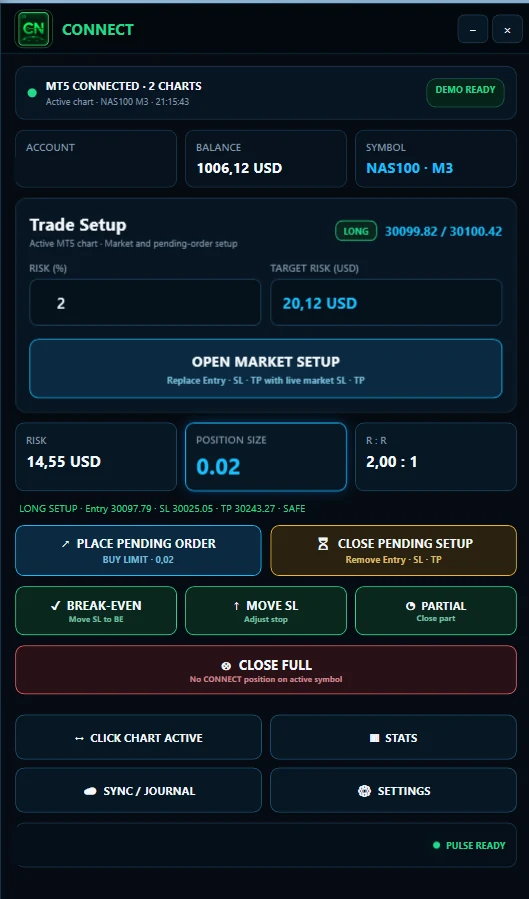
A CLEARER EXECUTION PROCESS
An MT5 trade manager reduces the friction between planning a setup and managing it. The goal is not to remove your decisions, but to make the manual process faster, clearer and more consistent.
Keep the core setup and execution actions together instead of moving between scattered controls.
Define risk before execution and review the calculated position size against the setup.
Use focused controls for supported stop-loss, break-even and close actions.
Turn repeated manual actions into a structured process without handing control to a bot.
BTI CONNECT
CONNECT is a manual trade execution and position-management tool for MT5 traders. It brings account, symbol, risk and trade context into one deliberate workflow.
The trader remains in control. CONNECT does not generate signals or open trades independently.
Translate your defined risk and stop distance into a position size inside the workflow.
Review entry, stop-loss and take-profit levels before triggering the order.
Use a focused control instead of rebuilding the trade-management sequence.
Apply a supported break-even action while keeping the decision manual.
Manage supported close actions from the same execution-side interface.
Work with relevant MT5 account and symbol information where supported.
FROM SETUP TO MANAGEMENT
Identify the symbol, direction, entry, stop and target in your MT5 chart.
Set the account risk you are prepared to take before execution.
Check the calculated position size and planned order levels in CONNECT.
Trigger supported manual execution and management actions from one workflow.
MANUAL EXECUTION, CLEAR CONTEXT
Chart context stays visible while CONNECT keeps risk, position size and trade-management controls in focus.
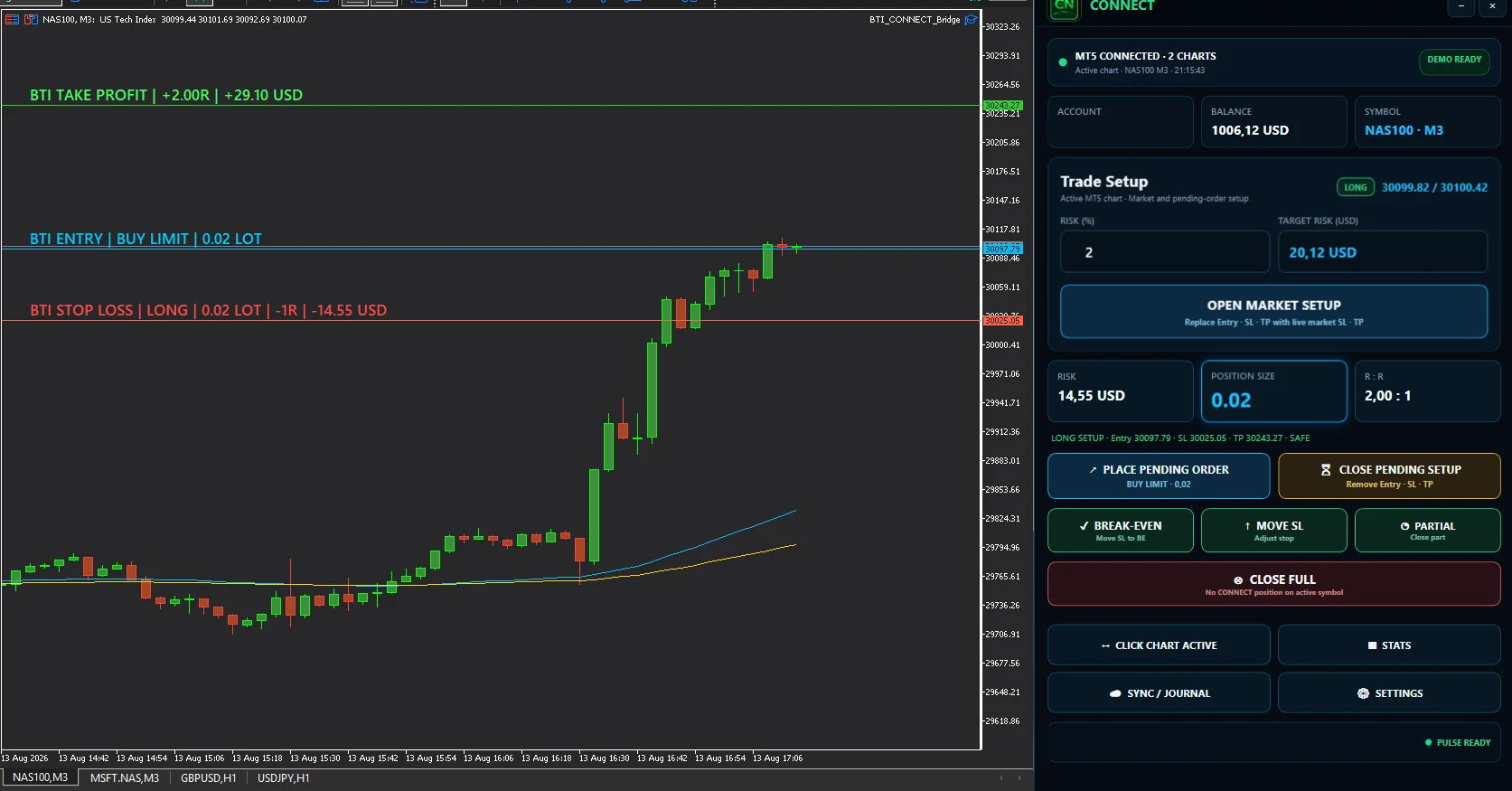
A WORKFLOW AROUND THE PLATFORM
MetaTrader 5 is the trading platform. It provides charts, orders, positions and account history. BTI CONNECT does not replace it.
CONNECT adds a focused layer around the manual decisions that repeat on every trade: defining risk, checking size, preparing order levels and managing the position.
FROM EXECUTION TO REVIEW
CONNECT supports the execution side of the workflow. PULSE provides the journal, analytics and review layer after the trade. Together, they connect what you planned and managed with what actually happened.
FAQ
Clear answers about manual execution, order management and the role of CONNECT.
An MT5 trade manager adds a structured workflow around position sizing, order preparation and manual trade management in MetaTrader 5.
No. BTI CONNECT supports user-controlled execution and trade management. It does not decide what or when to trade.
Yes. CONNECT is designed around a manual MT5 workflow in which you define the setup, risk and actions.
No. You review and trigger supported actions. CONNECT is not a black-box system that opens trades independently.
CONNECT brings supported stop-loss adjustment, break-even and close actions into one focused workflow.
MT5 remains the trading platform. CONNECT adds a focused manual workflow for risk, position sizing, execution and trade management around it.
CONNECT supports planning and execution in MT5, while PULSE supports journaling, analytics and review after the trade.
It can support any manual MT5 trader who understands their own setup and wants a clearer risk and execution workflow.
MANUAL CONTROL, BETTER STRUCTURE
Plan risk, manage execution and carry the trade into a structured review process.