Risk gets improvised
Position size changes from trade to trade.

MT5 TRADING JOURNAL · PULSE + CONNECT
Plan your risk before the trade. Execute in MetaTrader 5. Sync your trades to PULSE. Review what actually happened.
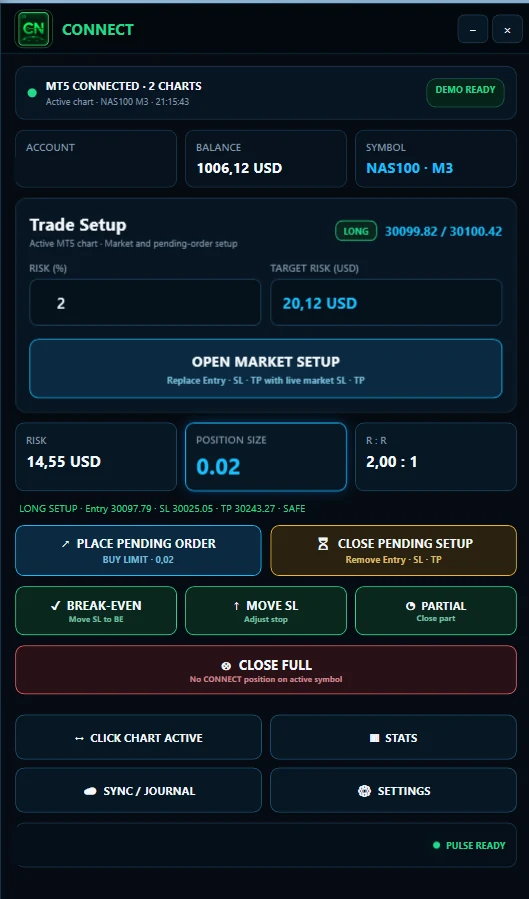
THE GAP BETWEEN HISTORY AND PROCESS
MetaTrader 5 gives you detailed account history and trading reports. But knowing what happened is only one part of improving as a trader.
What was the planned risk? Was the position size correct? Did you follow your setup? Did you execute as intended? And are the same mistakes appearing again and again?
BTI connects the decisions you make before and during a trade with the review that happens after it.
Position size changes from trade to trade.
Manual journaling gets postponed or skipped.
A winning trade can still be a bad trade.
MT5, spreadsheets, screenshots and notes live in different places.
THE BTI WORKFLOW
Set your entry, stop and risk.
Calculate position size and execute deliberately in MT5.
CONNECT sends the relevant trade data into PULSE.
Review performance, drawdown, setups and rule compliance.
Use your own trading data to identify patterns worth repeating and mistakes worth eliminating.
Most trading journals start after the trade. BTI starts before it.
BTI CONNECT
BTI CONNECT is the execution-side companion for manual MT5 traders. It reads the relevant account and symbol information, helps calculate position size from your defined risk and connects your execution workflow with PULSE.
Define your risk instead of guessing the lot size.
Plan the trade before execution.
Use actual account and symbol information where supported.
Move execution data into PULSE without rebuilding every trade manually.
CONNECT is not a signal service, copy-trading system or autonomous trading bot.
BTI PULSE
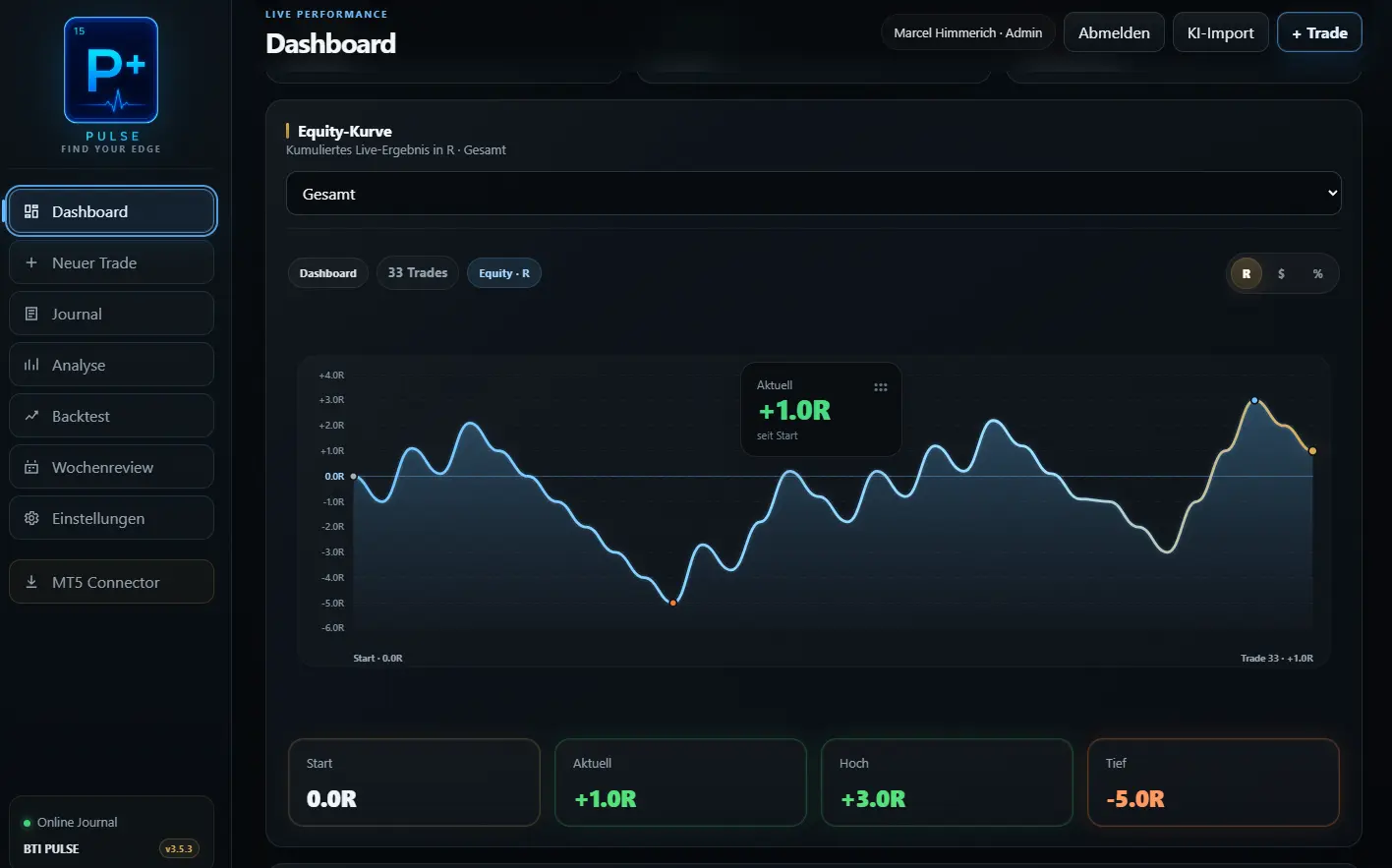
Once the trade is in PULSE, the work changes from execution to analysis. PULSE organizes your trading history around performance, process and consistency, not just the final P/L.
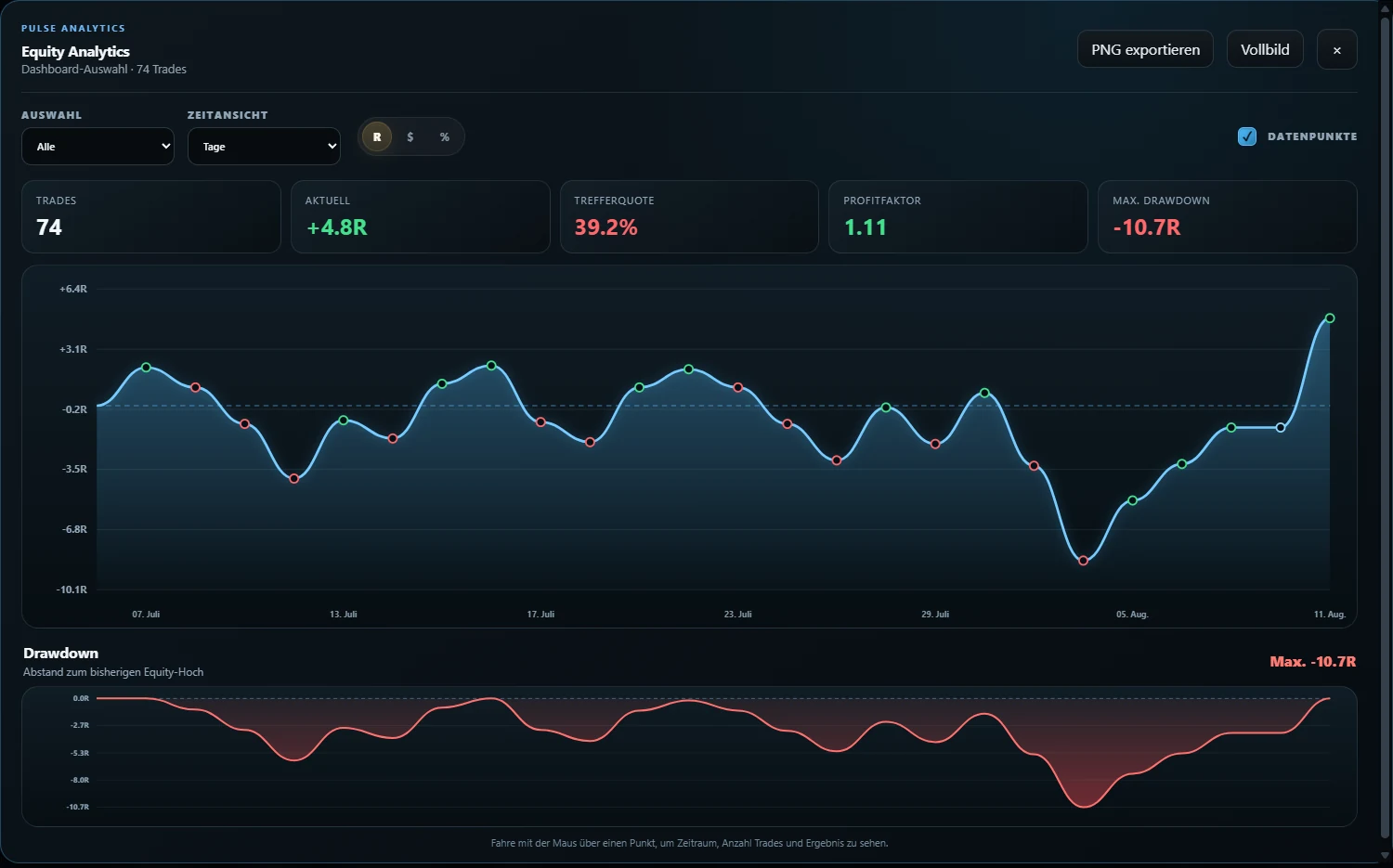
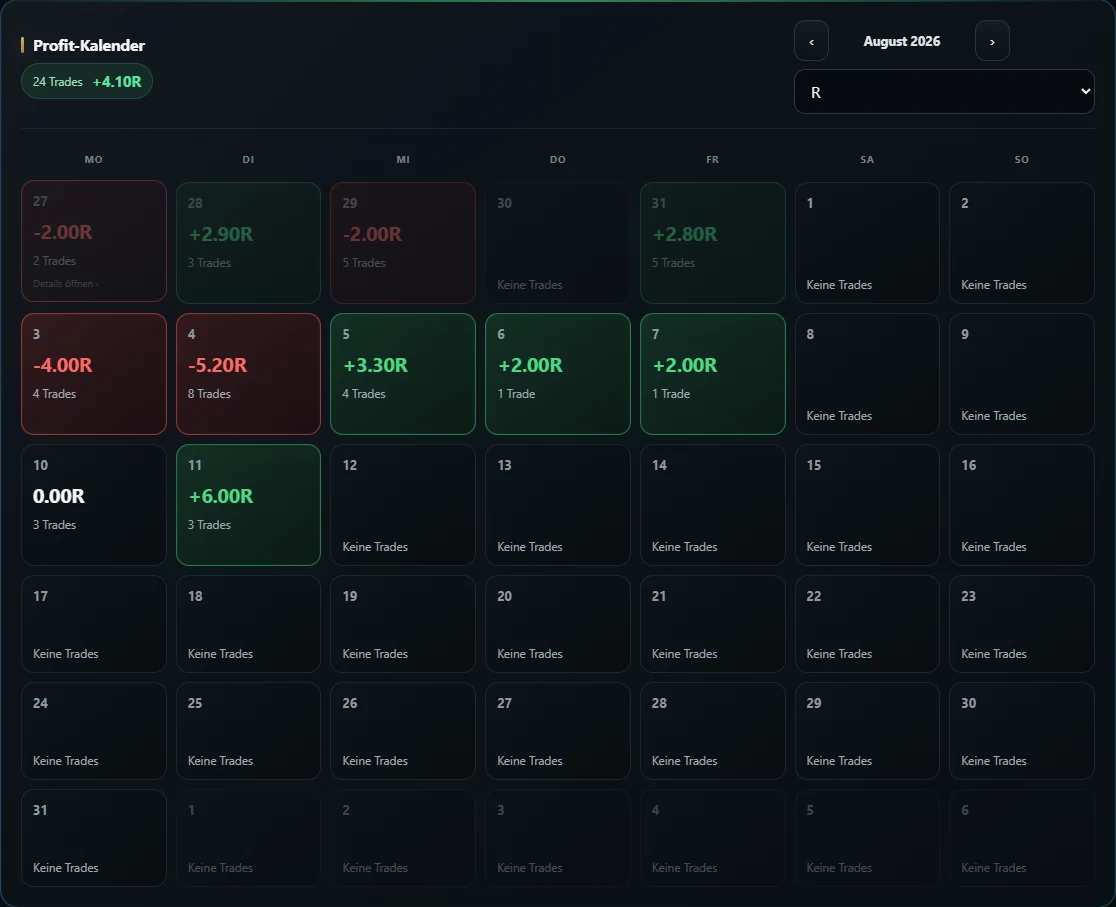
See performance and drawdown over time.
Switch between the units that matter to you.
See good and bad periods immediately.
Keep real execution separate from historical testing.
Review different trading accounts inside one workflow.
Track whether your process matched your plan.
THE ROLE OF EACH TOOL
The goal is not to replace MetaTrader 5. MT5 remains your trading platform. CONNECT adds a controlled risk and execution workflow around it, while PULSE becomes the place where your trading history is reviewed and measured.
FLEXIBLE ENTRY
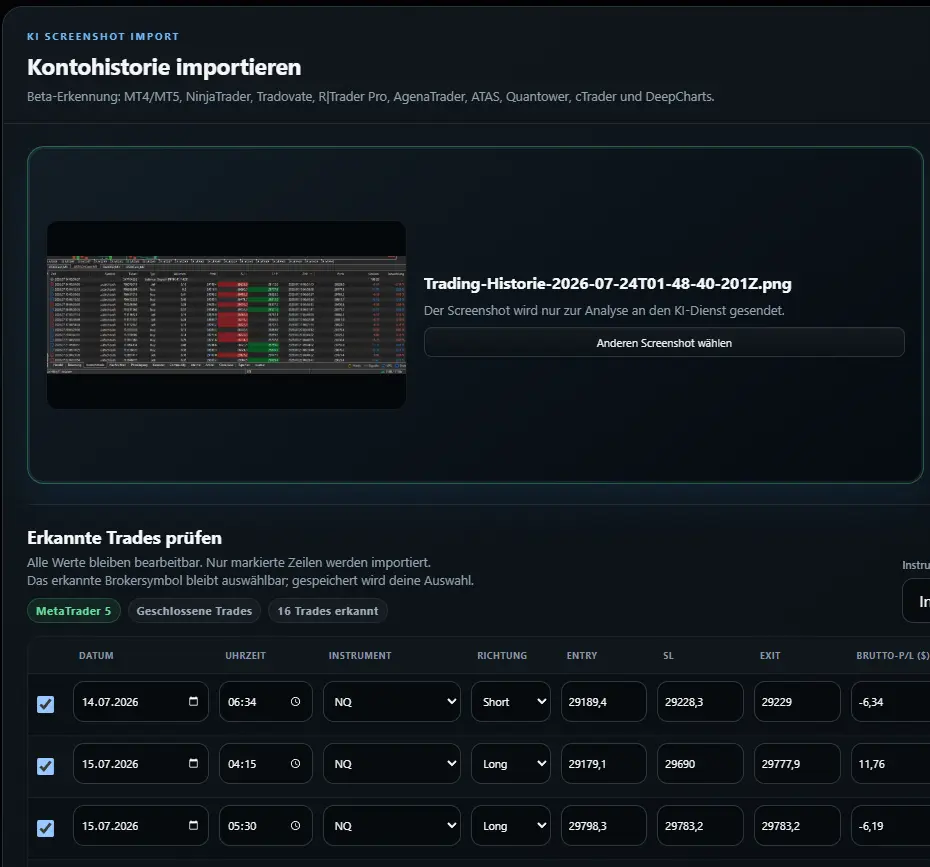
CONNECT is not required to begin using PULSE. Existing and historical trades can also be added through supported imports or manual entry.
Exact compatibility depends on the source format. BTI does not claim support for every MT5 export variation.
PROCESS OVER OUTCOME
A journal should help you separate outcome from execution.
Did you respect your risk? Did you follow the setup? Was the entry according to plan? Are certain mistakes concentrated at specific times, accounts or setups?
PULSE gives those questions a structure.
COMPARE THE WORKFLOW
FOUNDER ACCESS
Four AI-assisted imports per month are included in both current Founder plans.
BTI PULSE FOUNDER
PULSE + CONNECT FOUNDER
No payment or automatic activation takes place on this page. See the main pricing section for the current offer.
FAQ
Yes. PULSE can be used as a journal for MT5 trading, while BTI CONNECT provides the MT5-side workflow for risk, position sizing, execution and synchronization.
No. CONNECT does not decide when or what to trade. Trading and management actions remain under the trader's control.
Yes. Trades can also be entered manually or through supported import methods.
Existing trades can be added through supported manual and import workflows. Exact compatibility depends on the source format.
BTI is designed around the trading platform and account workflow rather than one specific broker or prop firm. Exact CONNECT compatibility should be confirmed for the relevant MT5 environment.
Four AI-assisted imports are included per month in the current Founder plans.
No. MT5 remains the trading platform. BTI adds risk workflow, synchronization, journaling and structured review around the trading process.
FROM RISK TO REVIEW
Bring your MT5 execution and your trading journal into one structured workflow.
Explore PULSE