A practical way in
Check supported imports, manual entry and whether a separate MT5 connector is needed for synchronization.

MT5 JOURNAL SOFTWARE · BTI PULSE
Bring your MetaTrader 5 trades into BTI PULSE. Review performance, risk and trading decisions in one journal with supported imports or optional CONNECT trade sync.
CHOOSE YOUR MT5 JOURNAL
The right MT5 trade journal software should fit the way you get trades in, measure results and review decisions. Start with these four essentials when choosing your journal.
Check supported imports, manual entry and whether a separate MT5 connector is needed for synchronization.
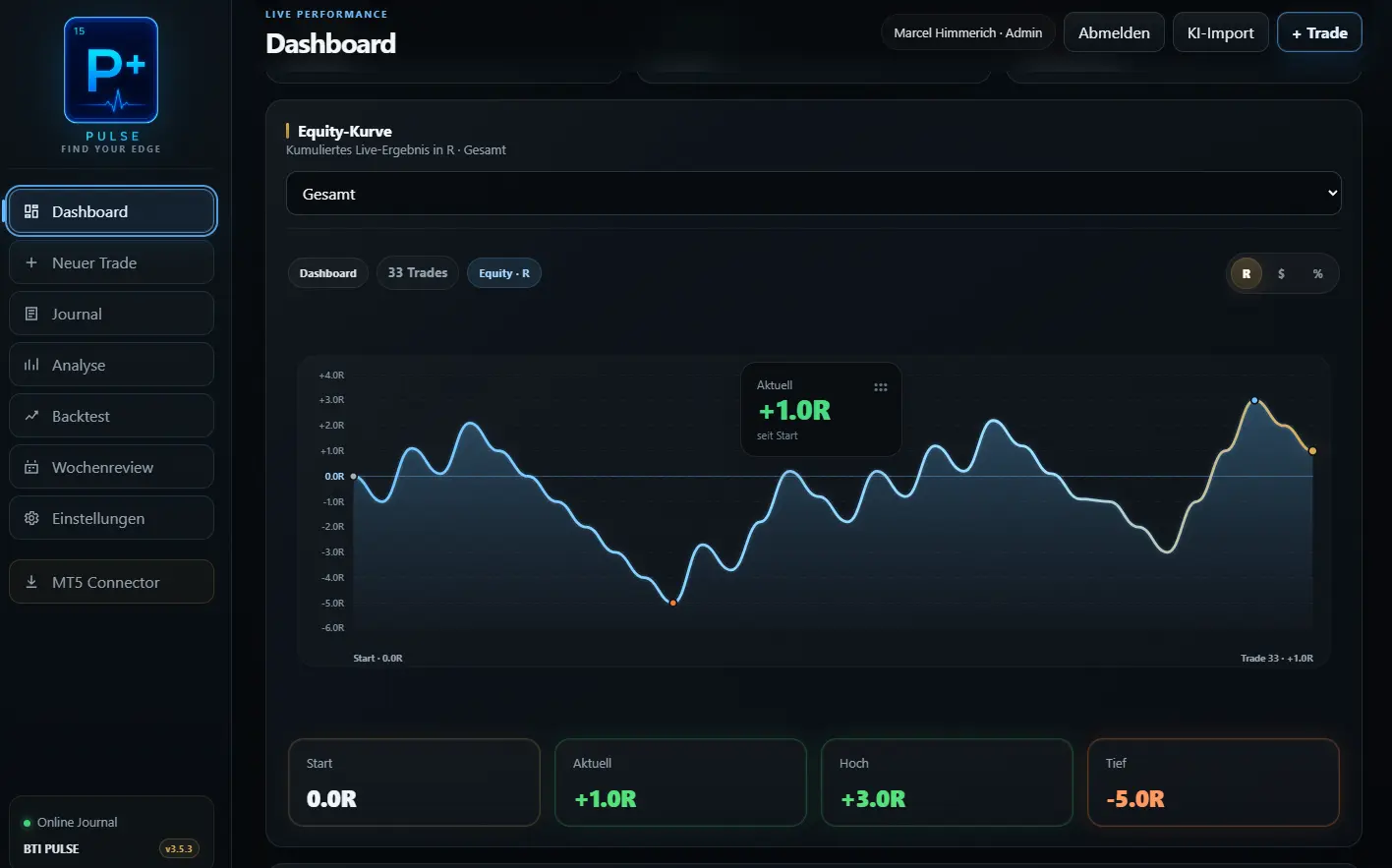
Look at equity and drawdown alongside results measured in R, percentage and money.
Separate accounts and distinguish live trades from backtests before comparing performance.
Use setups, rules and reviews to understand the process behind a winning or losing trade.
BTI PULSE
PULSE brings journal entries and performance views together. Move from an account-level overview to the trading decisions you want to review without rebuilding your analysis in a spreadsheet.
Review how account performance develops over time, including the periods below a previous peak.
Review results in the units that make sense for your trading and risk.
See the distribution of results across trading days and periods.
Organize different trading accounts inside one performance center.
Keep historical testing separate from trades executed in a live market.
Review whether your execution matched the plan, beyond the final profit or loss.
GET YOUR TRADES INTO PULSE
Choose the entry method that fits your account and the data you already have. PULSE can be used without CONNECT.
Add trades manually when you want to build your journal gradually or capture a trade that is not available in a supported import format.
Use supported CSV, Excel or AI-assisted screenshot imports. The current Founder plans include four AI-assisted imports per month.
Add CONNECT for the MT5-side position sizing, manual execution and synchronization workflow.
Explore CONNECT →Import support depends on your source format; not every MT5 export variation is supported. Confirm CONNECT compatibility for your MT5 environment with BTI.
OPTIONAL MT5 COMPANION
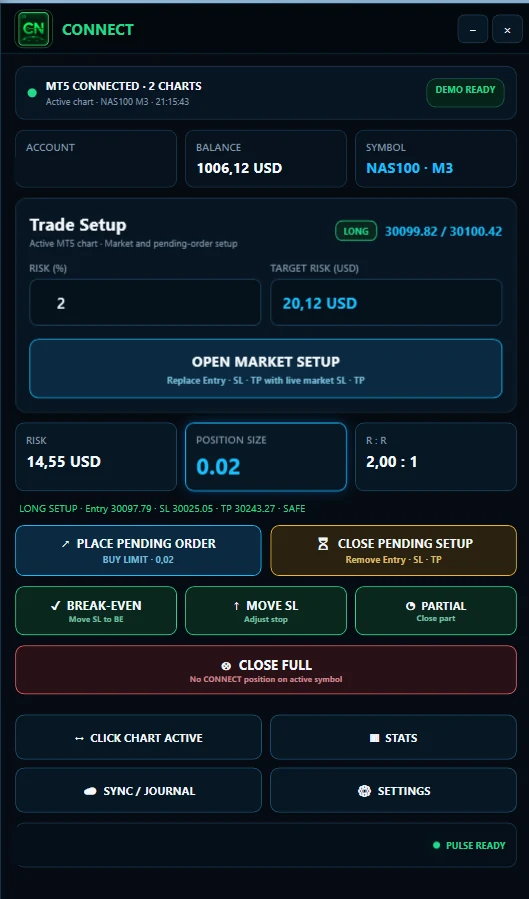
PULSE is where you journal and review. CONNECT works on the execution side: define risk, calculate position size and bring relevant MT5 trade data into PULSE.
Use your defined risk, account and symbol information to help calculate lot size.
Plan a manual trade before execution.
Connect your MT5 execution workflow to the PULSE journal.
CONNECT does not select trades or make autonomous trading decisions.
WHICH SETUP FITS YOU?
Both options include the journal. The difference is how closely you want to connect it to your MT5 execution.
BEFORE YOU MOVE YOUR JOURNAL
A useful journal begins with consistent trade data. Check the fit before moving your entire history.
Decide whether you need PULSE alone or the CONNECT workflow.
Check your import format or MT5 environment with BTI.
Enter or import a representative sample of trades.
Compare dates, size, prices and costs with your source records.
Check the results, add context and build a regular review habit.
FOUNDER ACCESS
Prices and plan details have one maintained source on the BTI homepage.
See current plans and pricingFAQ
MT5 trade journal software organizes trades from MetaTrader 5 for review. A useful journal brings trading results together with risk, setups and notes so you can assess how you traded, as well as the outcome.
Yes. PULSE can be used on its own with manual trade entry or supported imports. CONNECT is the optional MT5 companion for position sizing, manual execution and trade synchronization.
Do not assume automatic synchronization is included with PULSE alone. CONNECT provides the MT5 synchronization workflow. Existing trade history can also be added through supported imports or manual entry. Confirm compatibility for your account and source format with BTI.
PULSE supports CSV and Excel import workflows. Compatibility depends on the structure of your file. Check a representative sample, including timestamps, prices, position sizes and trading costs, before relying on the imported results.
Yes. PULSE supports multiple accounts. It also separates live trading from backtesting so that you can review each in its own context.
See the current plans and prices in the main BTI pricing section.
No. MetaTrader 5 remains your trading platform. PULSE is the journal and review software. CONNECT supports a manual MT5 workflow and does not choose trades for you or guarantee trading results.
YOUR NEXT TRADE DESERVES A REVIEW
Start with PULSE for journaling and analysis. Add CONNECT for the manual MT5 workflow.
Explore PULSE